




- Email[email protected]
- Phone+962 797 166 177
- Birthday1982-09-25
- LocationAmman, Jordan
Tailscale 101: The Easy, Free, and Secure Mesh VPN for Your Home Lab
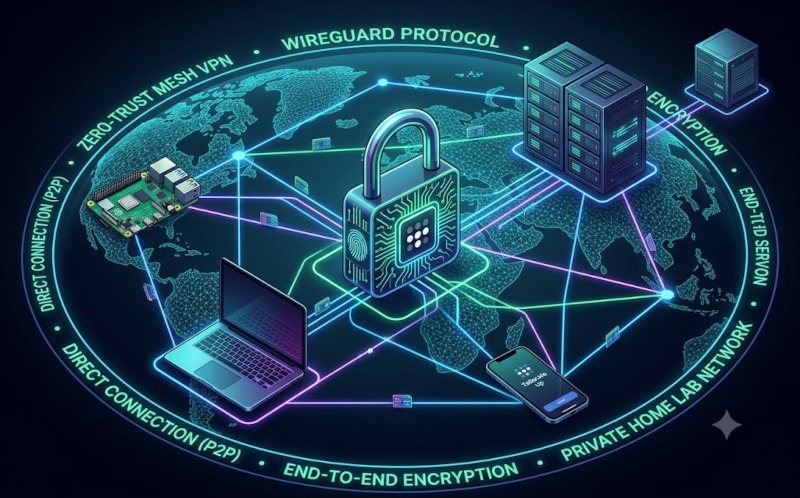
G'day mates! Welcome back to the lab. If you've been following our recent projects, you've seen us use Tailscale to do some seriously heavy lifting—like setting up Subnet Routers and broadcasting Exit Nodes from a Raspberry Pi.
But I realized we haven't taken a step back to talk about the absolute magic of the platform itself. If you're still relying on port forwarding through your ISP’s router to access your Home Assistant dashboard, Frigate cameras, or MQTT broker while you're away from home, you are playing a dangerous game.
Today, we are going back to basics. We’re talking about Tailscale: why it is the easiest, most secure, and entirely free way to lock down your IoT infrastructure. Let’s crack into it!
The Old Way vs. The Tailscale Way
In the old days, getting remote access meant opening ports on your firewall (a massive security risk), wrestling with Dynamic DNS providers, and manually configuring clunky VPN servers. It was hard yakka, and one wrong move left your home network wide open to the public internet.
Tailscale flips this entirely on its head. Instead of a traditional VPN where all your traffic bottlenecks through one central server, Tailscale creates a mesh network. It installs a tiny, lightweight client on your devices (phones, laptops, Raspberry Pis, servers) and connects them directly to each other using the blazing-fast WireGuard protocol.
Why It’s an Absolute Game Changer:
-
Zero Open Ports: You don't need to touch your router. Tailscale uses clever NAT traversal to punch secure holes through firewalls. Your home lab remains completely invisible to the open web.
-
End-to-End Encryption: Built on WireGuard, the encryption is rock-solid and incredibly fast. Tailscale manages the encryption keys, but they never see your traffic.
-
Generous Free Tier: For personal home labs, it is completely free. You get up to 100 devices on a single user account, which is more than enough for your Pi clusters, phones, and work laptops.
3 Bloody Brilliant Features You Need to Use
Once you have Tailscale installed on your gear, you unlock a few features that make managing a home lab an absolute breeze:
1. MagicDNS
Forget trying to remember local IP addresses like 192.168.3.226. MagicDNS automatically registers a neat, easy-to-read domain name for every device on your mesh. You can simply SSH into your server by typing ssh yazan@lamp-server or access your dashboard via http://raspberrypi:8123 from anywhere in the world.
2. Taildrop
Need to move a configuration file from your work laptop (Windows) to your personal phone (Android) or your Linux server? Taildrop lets you instantly beam files directly between any of your Tailscale-connected devices, regardless of the operating system, without routing through Google Drive or OneDrive.
3. Tailscale SSH
This one is for the terminal junkies. Tailscale SSH allows you to establish secure SSH connections between your nodes using Tailscale's own authentication. You don't need to manage authorized keys or password files anymore—if the device is authenticated on your Tailscale mesh, you are granted secure access.
How to Get Started in 60 Seconds
Installing Tailscale on your Linux boards (like our trusty Raspberry Pi Zero 2 W or Dell LAMP Server) is ridiculously easy.
Step 1: Run the Install Script SSH into your Linux machine and run the official convenience script. This downloads and installs the correct package for your architecture automatically.
Bash
curl -fsSL https://tailscale.com/install.sh | sh
Step 2: Authenticate the Node Once the installation finishes, bring the Tailscale service online.
Bash
sudo tailscale up
Your terminal will spit out an authentication link. Simply copy and paste that URL into your web browser, log in with your Google, Microsoft, or GitHub account, and authorize the machine.
Step 3: Check Your IP Tailscale assigns a static 100.x.x.x IP address to your device. You can verify your new secure IP by running:
Bash
tailscale ip
Download the Tailscale app on your mobile phone or personal laptop, log in with the same account, and boom—you are instantly connected to your home lab via a secure, encrypted tunnel.
The Verdict
If you are fair dinkum about your home lab's security, dropping port forwarding and moving to a zero-trust mesh network is the single best upgrade you can make. It takes the headache out of networking, works flawlessly behind strict firewalls, and costs absolutely nothing for a personal setup.
Get it installed, tie your gear together, and enjoy the peace of mind. Cheers!
"If you've got any questions or need a hand wrangling your own setup, don't hesitate to reach out at [email protected] or connect with me via www.yazan.me. I'm always keen to help out!"