




- Email[email protected]
- Phone+962 797 166 177
- Birthday1982-09-25
- LocationAmman, Jordan
Real-Time Fleet Monitoring: Telegram Alerts over MQTT
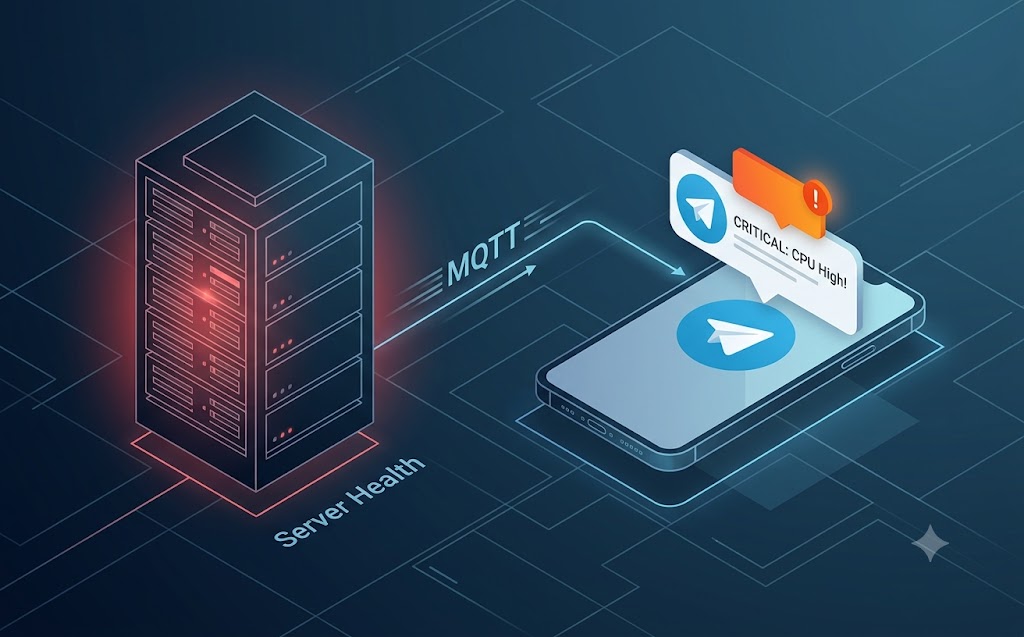
Welcome back to the lab, mates! When you are running multiple VPS nodes, subnet routers, and local IoT hubs, you need to know exactly when something drops off the network.
-
Checking logs manually is an absolute slog and defeats the purpose of automation.
-
We already have a rock-solid MQTT broker handling our local traffic.
-
Today, we are setting up a lightweight Python script that monitors our broker for system heartbeats. If a node drops, it instantly fires a secure webhook to a custom Telegram bot, pinging your phone wherever you are.
Step 1: Set up the Telegram Bot
-
Open Telegram and message the @BotFather.
-
Type /newbot and follow the prompts to get your HTTP API Token.
-
Message your new bot to start a chat, then hit the api.telegram.org/bot<TOKEN>/getUpdates endpoint in your browser to find your personal Chat ID.
Step 2: The Python Watchdog Script SSH into your primary server and install the required libraries:
Bash
sudo apt install python3-paho-mqtt python3-requests
Create a new file called mqtt_watchdog.py:
Bash
nano /home/user/scripts/mqtt_watchdog.py
Drop in this code to listen to your status topic and fire the alert:
Python
import paho.mqtt.client as mqtt
import requests
TELEGRAM_TOKEN = "YOUR_BOT_TOKEN"
CHAT_ID = "YOUR_CHAT_ID"
def send_telegram(message):
url = f"https://api.telegram.org/bot{TELEGRAM_TOKEN}/sendMessage"
payload = {"chat_id": CHAT_ID, "text": message}
requests.post(url, json=payload)
def on_message(client, userdata, msg):
payload = msg.payload.decode()
if payload == "offline":
send_telegram(f"🚨 ALERT: Node {msg.topic} has gone offline!")
client = mqtt.Client()
client.on_message = on_message
client.username_pw_set("your_mqtt_user", "your_mqtt_password")
client.connect("192.168.3.180", 1883, 60)
client.subscribe("tele/+/LWT") # Listens to Last Will topics
client.loop_forever()
Run this script as a background service, and you will have real-time, enterprise-grade fleet monitoring right in your pocket. Too easy!
"If you've got any questions or need a hand wrangling your own setup, don't hesitate to reach out at [email protected] or connect with me via www.yazan.me. I'm always keen to help out!"