




- Email[email protected]
- Phone+962 797 166 177
- Birthday1982-09-25
- LocationAmman, Jordan
Ditching Google Photos: Self-Hosting Immich on the Dell LAMP Server
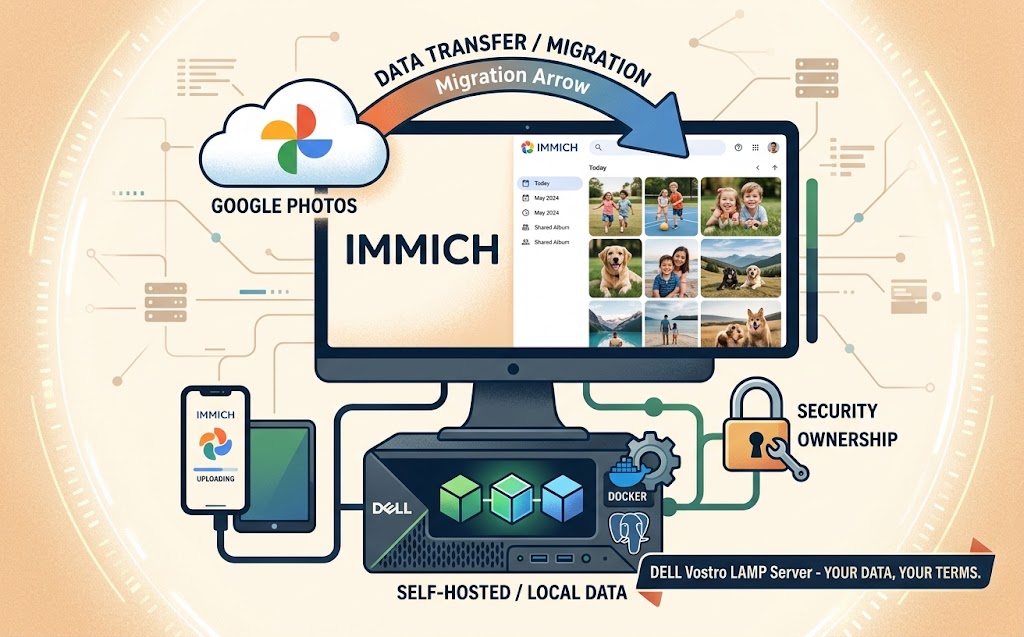
G'day! Welcome back. Between the phone, the tablet, and everyone else's phones in the house, our photo library has quietly become one of the biggest piles of data we own — and, until recently, all of it lived in Google Photos. Free-ish, convenient, and completely out of our hands the moment it left the device.
Since we've already turned the Dell Vostro LAMP server into a one-box streaming service with Jellyfin, it seemed only fair that our photos got the same treatment. Enter Immich — a self-hosted photo and video backup platform that does the Google Photos thing (auto-backup from your phone, face recognition, timeline search, shared albums) without the data ever leaving home. Let's crack into it.
Why Immich, and Why Now
Immich isn't the first self-hosted photo app — PhotoPrism and Nextcloud's own photo view have been around for years. What pulled us toward Immich specifically is the mobile app: it does background auto-upload exactly like the Google Photos app does, over the same Tailscale mesh we already trust for everything else in this lab. No janky syncthing folder, no manual exports — just install the app, point it at your server, and walk away.
It also ships with on-device-adjacent smarts: face recognition and clustering, object/scene search ('show me photos of the dog at the lake'), and shared albums for the household — all running on your own hardware instead of feeding a training pipeline somewhere in Mountain View.
The Stack
Immich is a Docker Compose project at heart, and it slots straight into the same docker-compose sprawl already running Jellyfin, Music Assistant, and Frigate on the Dell server:
-
immich-server — the API and web UI
-
immich-machine-learning — face detection, CLIP-based smart search
-
redis — job queue for background processing
-
postgres (with the pgvector extension) — metadata and the embeddings that power smart search
That last one is worth flagging: Immich's Postgres image is a custom build with pgvector baked in, so don't try to swap in a bare postgres:16 image and expect search to work — it'll start, but smart search quietly falls over.
Setting It Up
Step 1: Clone the compose files. Immich publishes a docker-compose.yml and .env template directly — grab both rather than hand-rolling your own on the first try:
mkdir -p /opt/immich && cd /opt/immich
curl -o docker-compose.yml https://github.com/immich-app/immich/releases/latest/download/docker-compose.yml
curl -o .env https://github.com/immich-app/immich/releases/latest/download/example.env
Step 2: Point storage at real disk. Set UPLOAD_LOCATION in the .env to a path with actual room to grow — this is a photo library, it only goes up. We pointed ours at the same SSD volume backing Jellyfin's media library.
Step 3: Bring it up and expose it. Same pattern as everything else on this box: docker compose up -d, then a cloudflared tunnel for photos.yazan.me so the web UI works from anywhere, with the mobile app itself talking over Tailscale for the actual uploads — keeping the bulky backup traffic off the public tunnel entirely.
docker compose up -d
Step 4: Install the app, sign in, flip on background backup. First sync on a few thousand photos will grind through the machine-learning container for a while as it builds face clusters and CLIP embeddings — expect the fan on the Dell to earn its keep for an evening.
The Google Photos Comparison
Search quality is genuinely close — CLIP-based smart search handles 'red car' or 'birthday cake' searches about as well as Google's, though face recognition takes noticeably more manual correction to cluster correctly at first. What you get instead is data ownership: the library lives on disk we control, backs up through the same Nextcloud/Google Drive routine already covering the rest of this lab, and doesn't get quietly mined for anything.
The Verdict
Immich isn't a drop-in Google Photos replacement for a family of ten with unlimited cloud budget — but for a home lab that already treats self-hosting as the default, it closes one of the last big gaps. Auto-backup that just works, search that's good enough, and a photo library that's finally, actually, ours.
Give it a weekend, point your phone at it, and watch the storage graph on that old Dell laptop start climbing. Cheers!
"If you've got any questions or need a hand wrangling your own setup, don't hesitate to reach out at [email protected] or connect with me via www.yazan.me. I'm always keen to help out!"